Alien Escape Challenge Action Game
Reviews
💡Alien Escape Challenge is an engaging browser game that combines quick thinking with fast movement. The short levels are perfect for breaks, while endless mode tests your endurance. The key collection adds a nice puzzle element. It runs smoothly on desktop and is completely free.
Description
Game Introduction
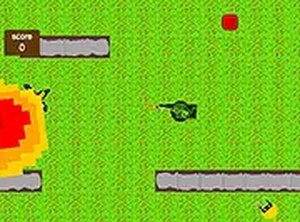
Alien Escape Challenge is a free browser-based action adventure game. In this game, you face waves of aliens and monsters that are trying to catch you. You can choose to play short levels for quick action or jump into endless mode for non-stop survival. The game involves lots of movement and strategy as you navigate through levels. To exit a level, hold or click the right mouse button at the colored square. Sometimes you need keys to unlock the exit. In endless mode, your score only counts if you successfully exit; being caught resets your progress. This game is designed for desktop computers and offers a fun experience for players who enjoy action-packed survival challenges.
How to Play
To play Alien Escape Challenge, use your keyboard and mouse on a desktop computer. Move your character to avoid aliens and use your blaster to slow them down. In each level, find the colored square and hold or click the right mouse button to exit. Some levels require keys, which you must collect before you can exit. In endless mode, focus on surviving as long as possible, but remember to exit to save your score. The game is straightforward: survive, find the exit, and keep playing. It runs directly in your browser with no downloads needed.
Game Features
Alien Escape Challenge offers several features: it is free to play, desktop-only, includes both short levels and endless mode, requires movement and strategy gameplay, and involves key collection for exits. The game provides a survival experience where players must navigate through levels while avoiding alien enemies.
Tips for Success
To succeed in Alien Escape Challenge, focus on quick movement and strategic planning. Learn the layout of each level to find the exit efficiently. Collect keys as soon as you see them to unlock the exit. In endless mode, prioritize survival and only exit when you have a high score. Practice regularly to improve your reflexes and decision-making under pressure.