

Skyward Float Timing Test
Opens in a play window — no download required.
Reviews
Skyward Float Timing Test strips away unnecessary elements to deliver a pure reflex challenge. The gradual difficulty increase ensures that early attempts are forgiving, while later stages demand precise coordination. Its simple visual style and responsive controls make it easy to pick up for short sessions. The lack of complex mechanics or story is a strength here, allowing players to focus entirely on improving their timing. For anyone seeking a quick, skill-based distraction, this game delivers a satisfying loop of practice and progress.
Description
Core Gameplay Loop
Players control a floating object that rises continuously through a vertical space. The only action required is a tap or click to make the object jump upward. Obstacles appear at varying heights and positions, requiring precise timing to pass through gaps. Each collision ends the run, and the goal is to reach the highest possible point. The game resets instantly, encouraging repeated attempts to improve one's score.
Difficulty Progression
The early moments of each attempt are deliberately slow, giving newcomers time to understand the timing needed. As the object climbs higher, obstacles become more frequent and appear in tighter configurations. The speed of the ascent also increases gradually, reducing the margin for error. This natural ramp in difficulty keeps the experience engaging without requiring any external unlocks or upgrades.
Visual and Audio Design
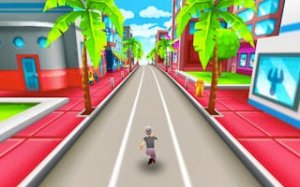
The environment is kept clean and bright, with a focus on clear visibility of obstacles against the background. Colors are chosen to be pleasant and non-distracting, helping players concentrate on the task. Sound effects are minimal, providing subtle feedback for successful jumps and collisions. The overall aesthetic supports the core mechanic without adding unnecessary complexity.
Platform Compatibility
The game is designed to work directly in a web browser, eliminating the need for downloads or installations. Controls are optimized for both touchscreens and mouse clicks, ensuring consistent performance on phones, tablets, and computers. The interface adapts to different screen sizes, maintaining clear visibility of obstacles regardless of device.







Comments
Sign in to leave a note
You must be logged in before posting a review or rating.
No account? Create one
No comments yet. Be the first to comment!